
Tired of Delta not opening or Direct Install keep getting revoked? The IPA method got you. Instead of relying on the shared certificate which gets revoked easily, you sign the IPA file yourself, ideally with your own Apple ID. It gives you more control over how long the app keeps working.
This guide covers three different installation methods (ESign, Scarlet and Altstore), troubleshoot common problems, and compare direct install and IPA methods.
What is Delta Executor iOS IPA?
IPA is the iOS app package which contains all necessary files including images, code, settings etc. Apps you install from Appstore also have this file format but you never see it because Appstore handles it for you. As Delta is not available on Appstore, you have to download the IPA file and sign it using a signing tool.
How to install Delta IPA with ESign (No computer needed):
Follow these steps to install Delta IPA without using PC:
- First, you need to download the ESign app and trust its developer profile under the enterprise app section.
- Download the IPA file.
- Go to ESign app and tap on three dots on the top-right corner.
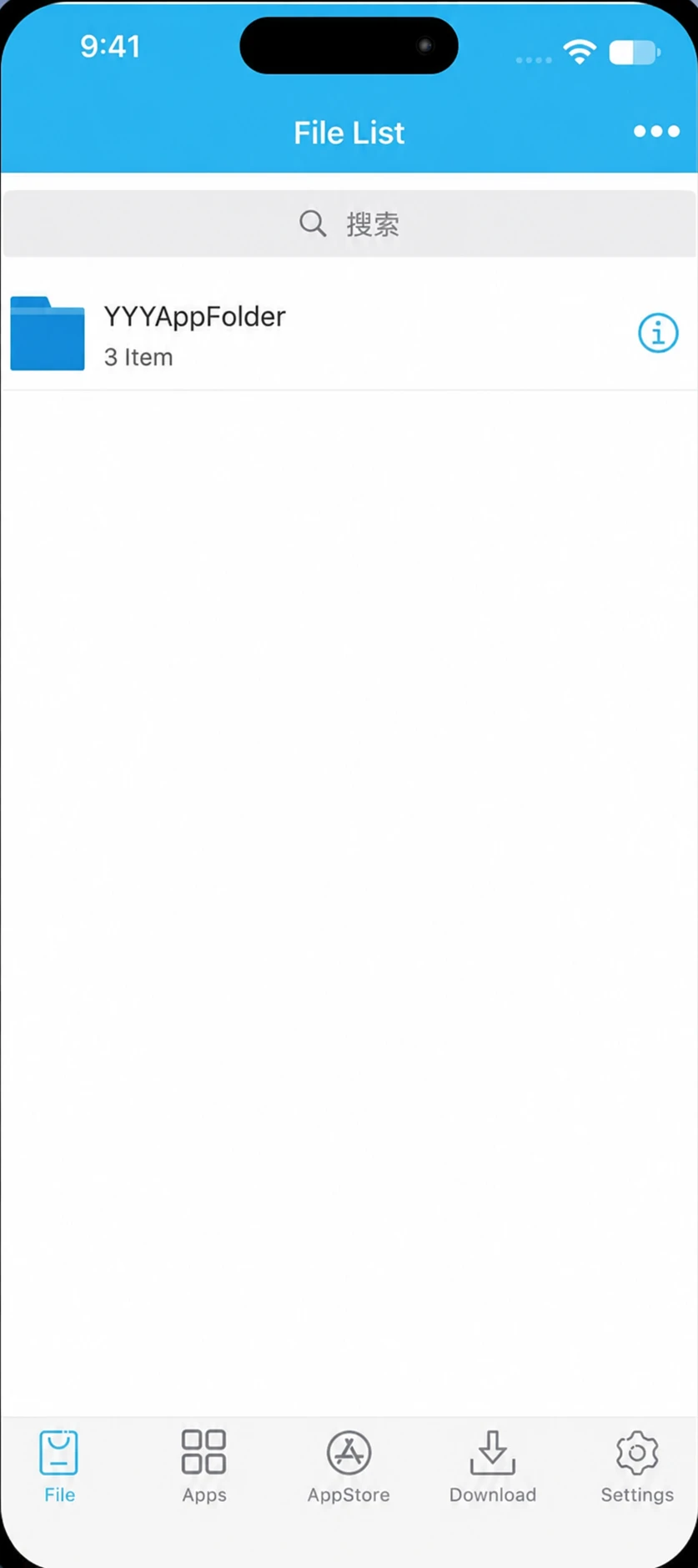
- Tap “Import” and select the ipa file you recently downloaded.
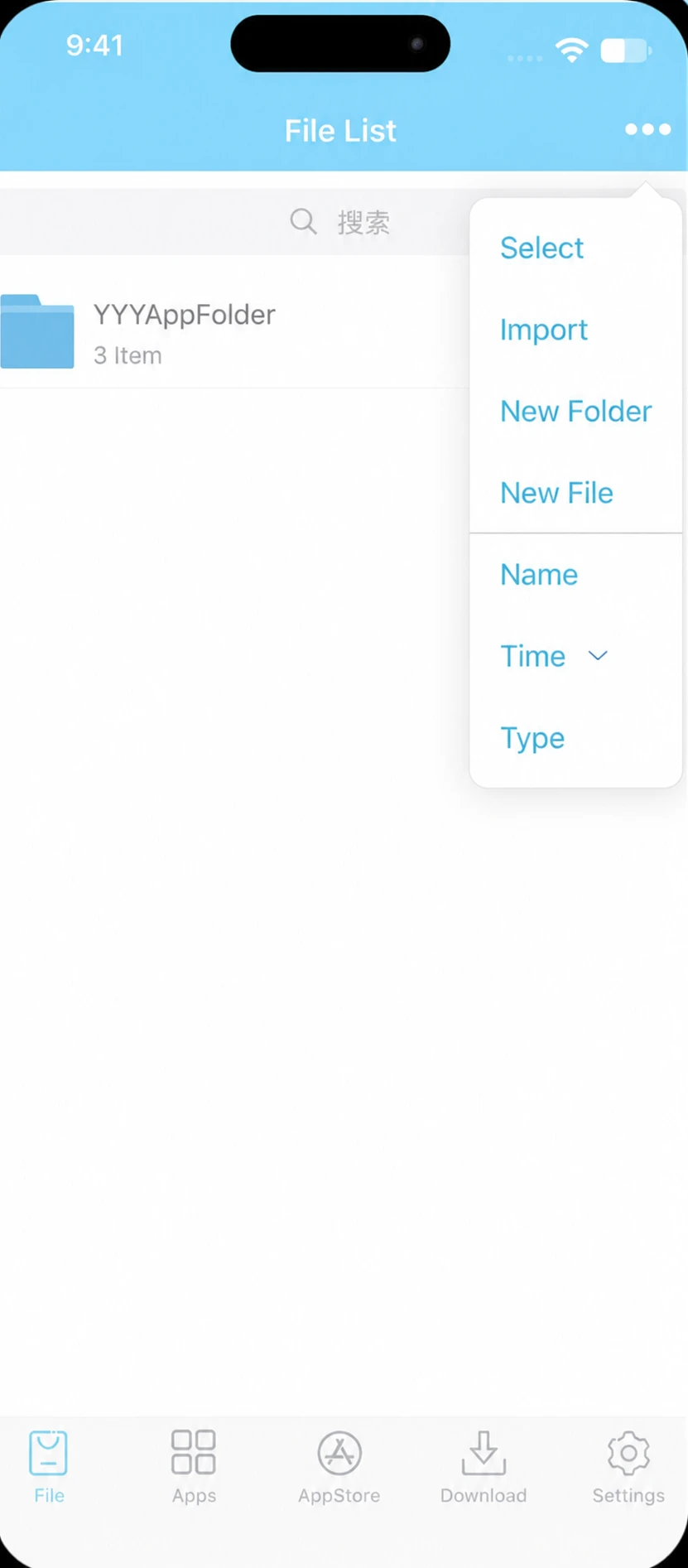
- Go to “Apps” in the ESign and select the ipa file.
- Tap “Signature”, a new screen will open showing the details.
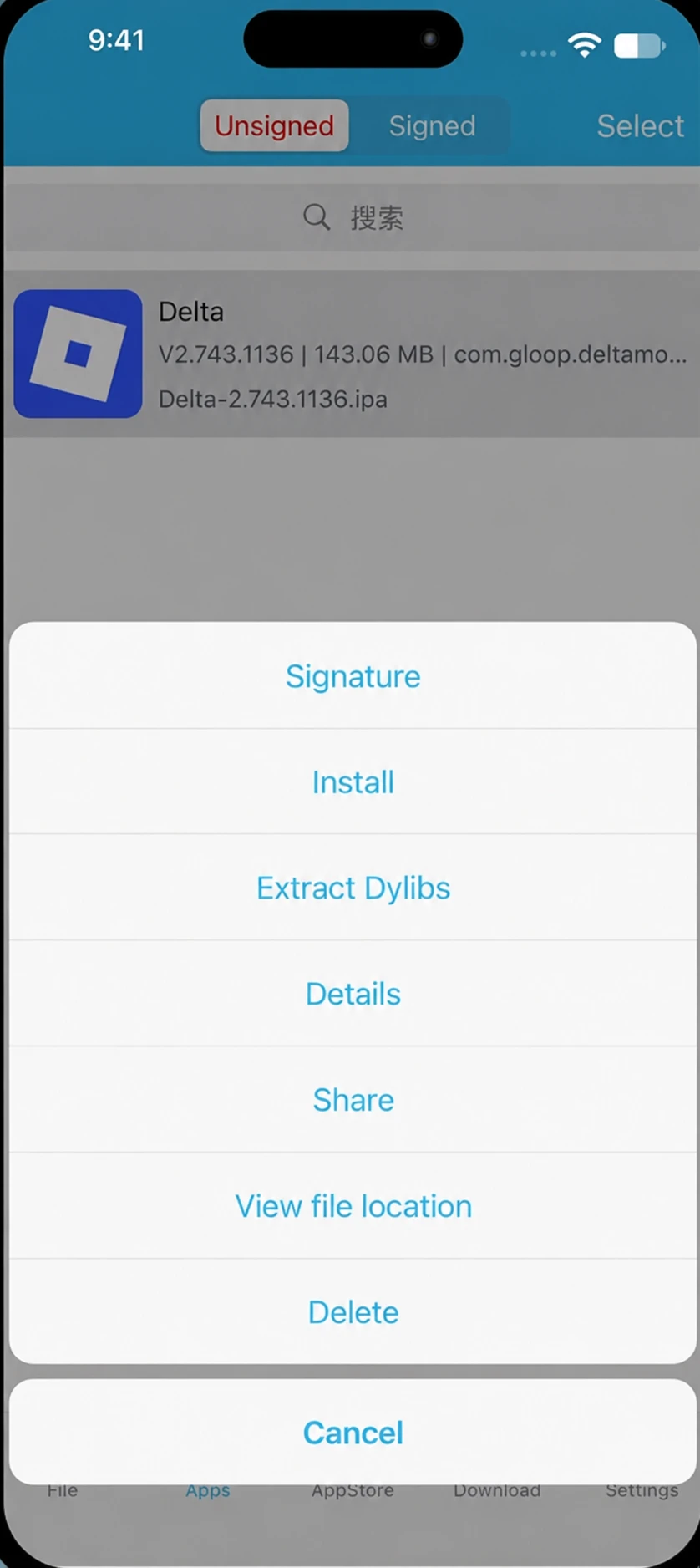
- Again, select “Signature”. Signing process will start.
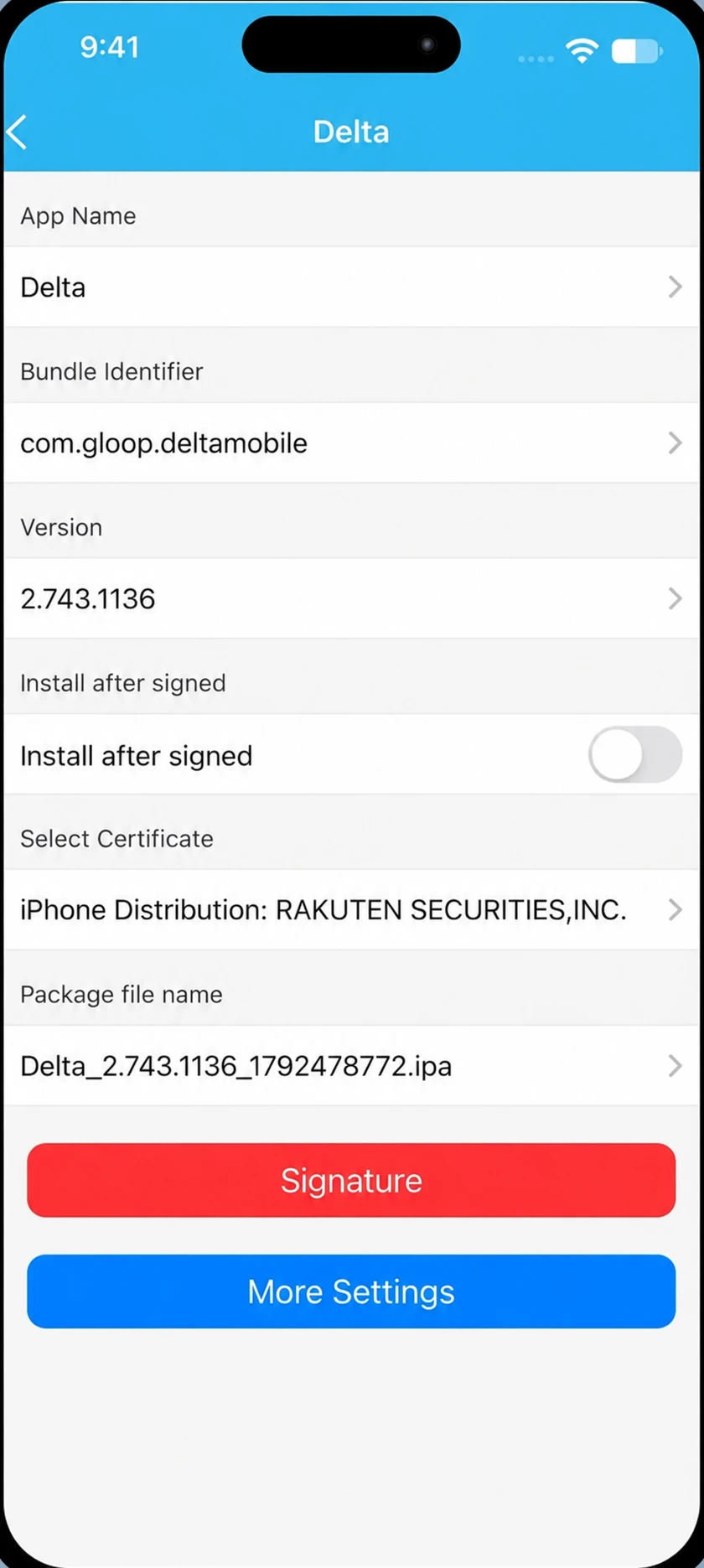
- After the process completion, tap on “Install”.
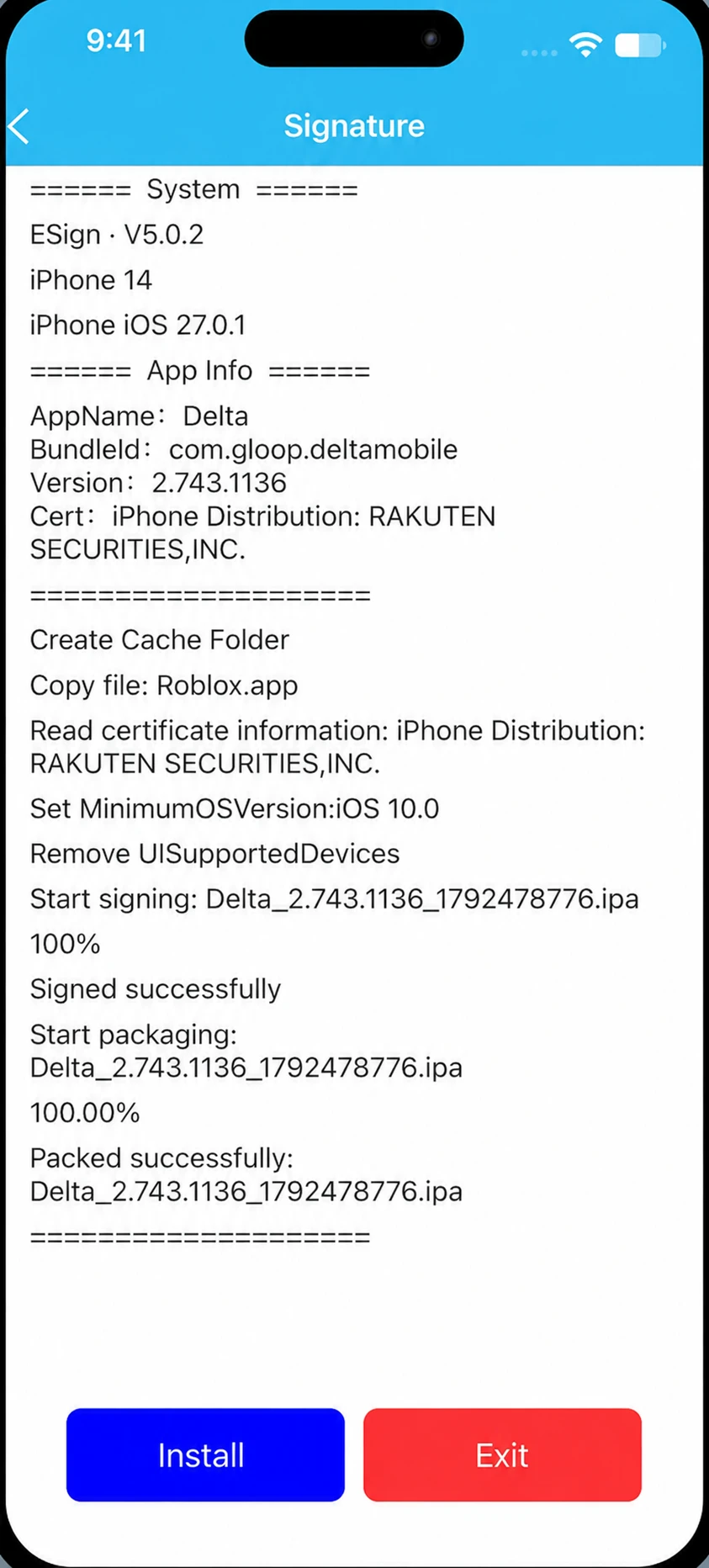
- Delta will be installed in your device.
Install Delta IPA with Scarlet (No computer Needed):
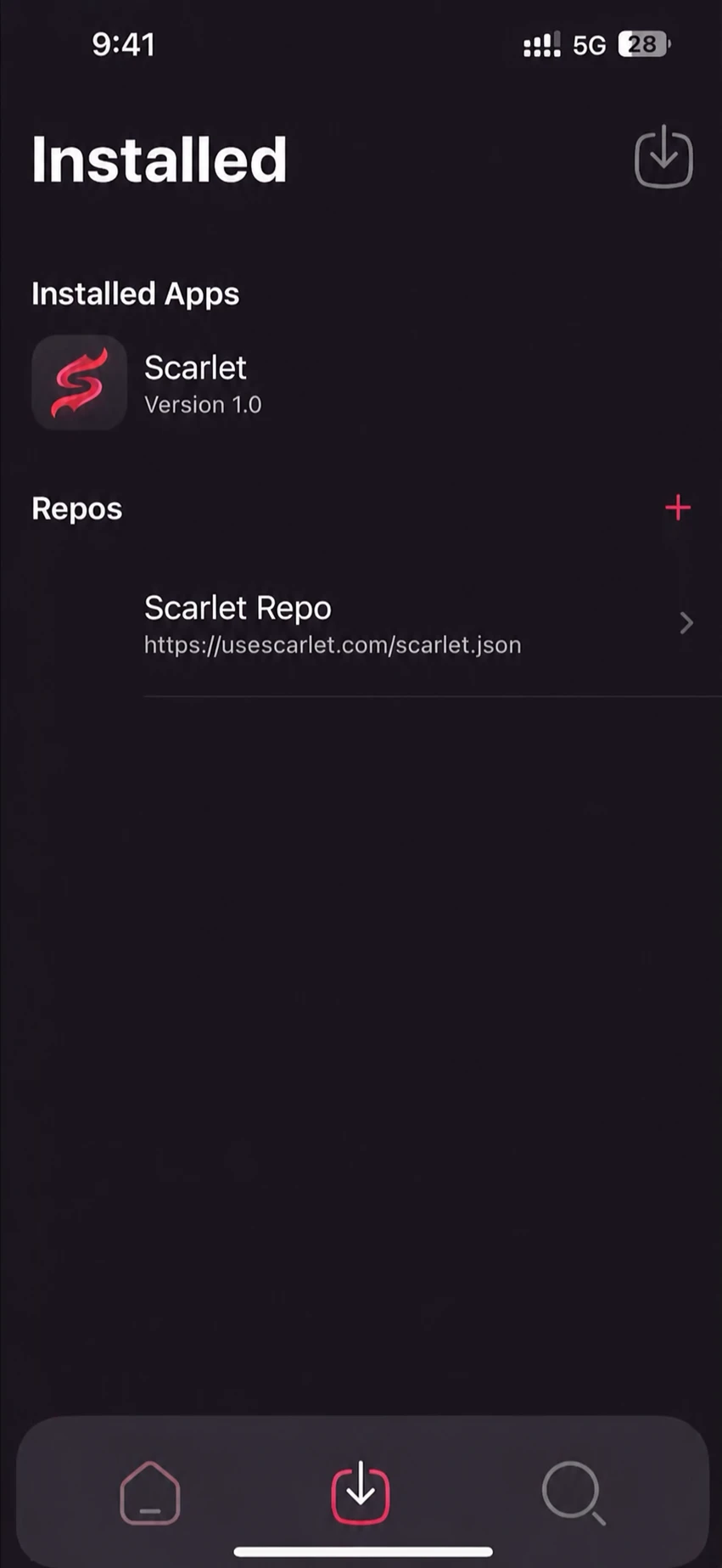
Follow these steps to install Delta IPA with scarlet:
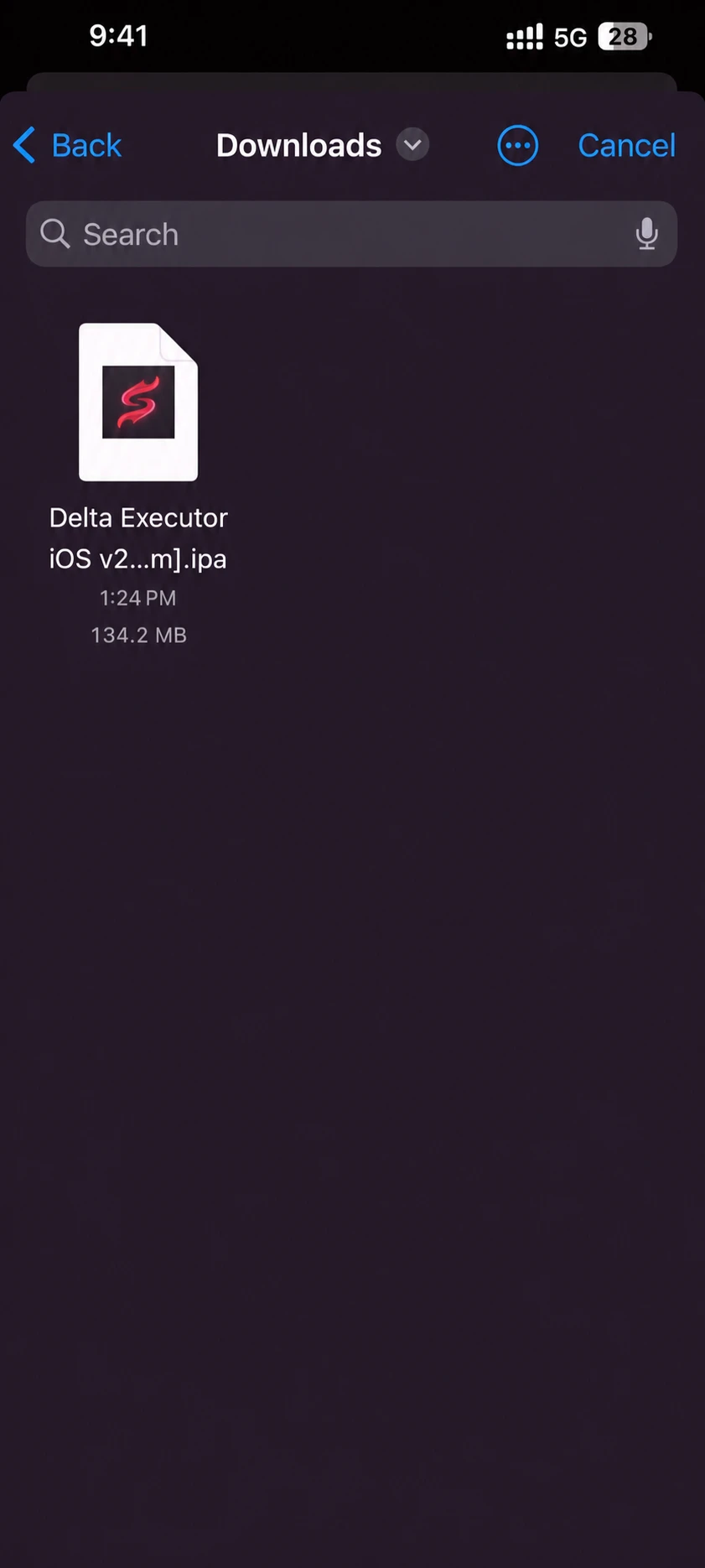
- Open Scarlet App and click on the top right Import icon.
- Select the ipa file.
- Hit “Install”.
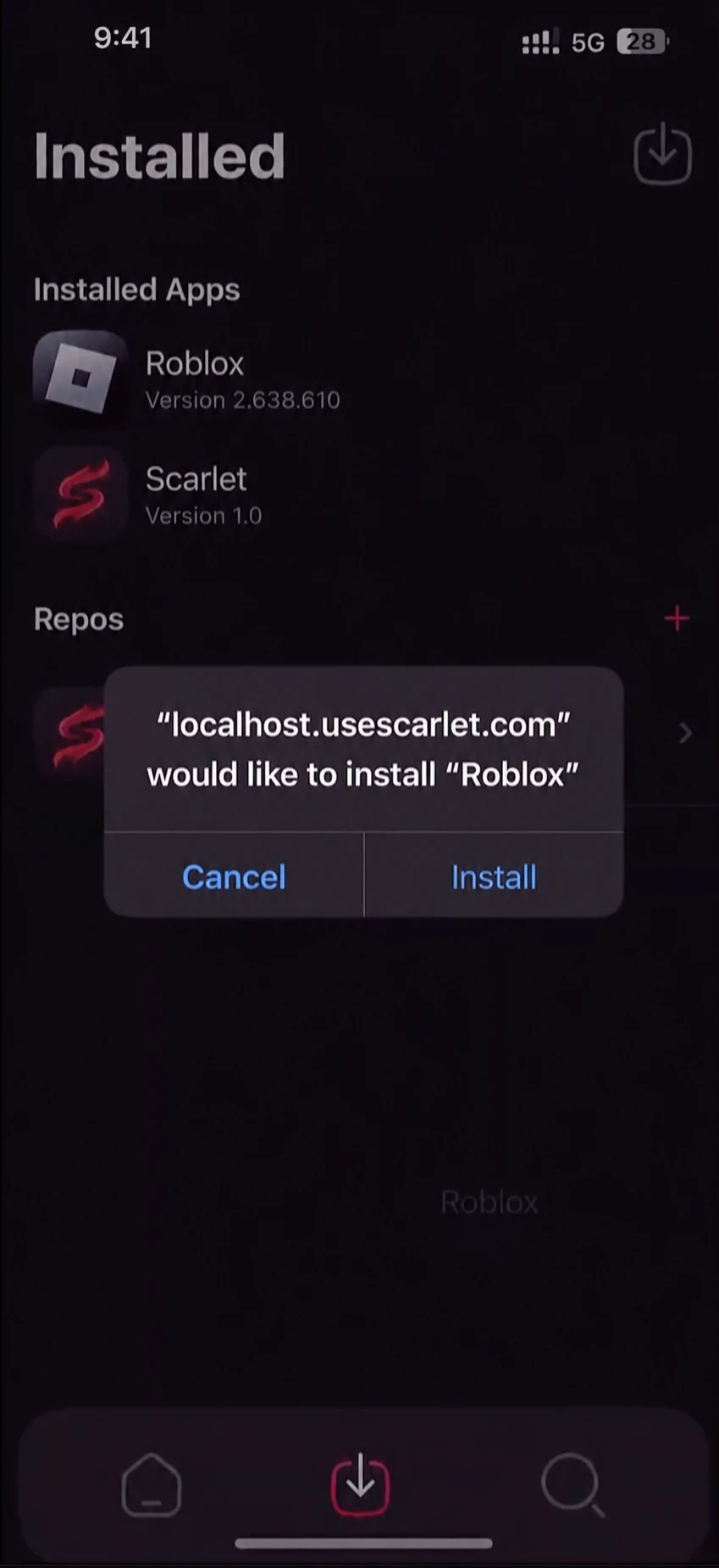
- After the installation is completed, open Delta app and you are good to go!
Install Delta IPA with AltStore (Computer Needed):
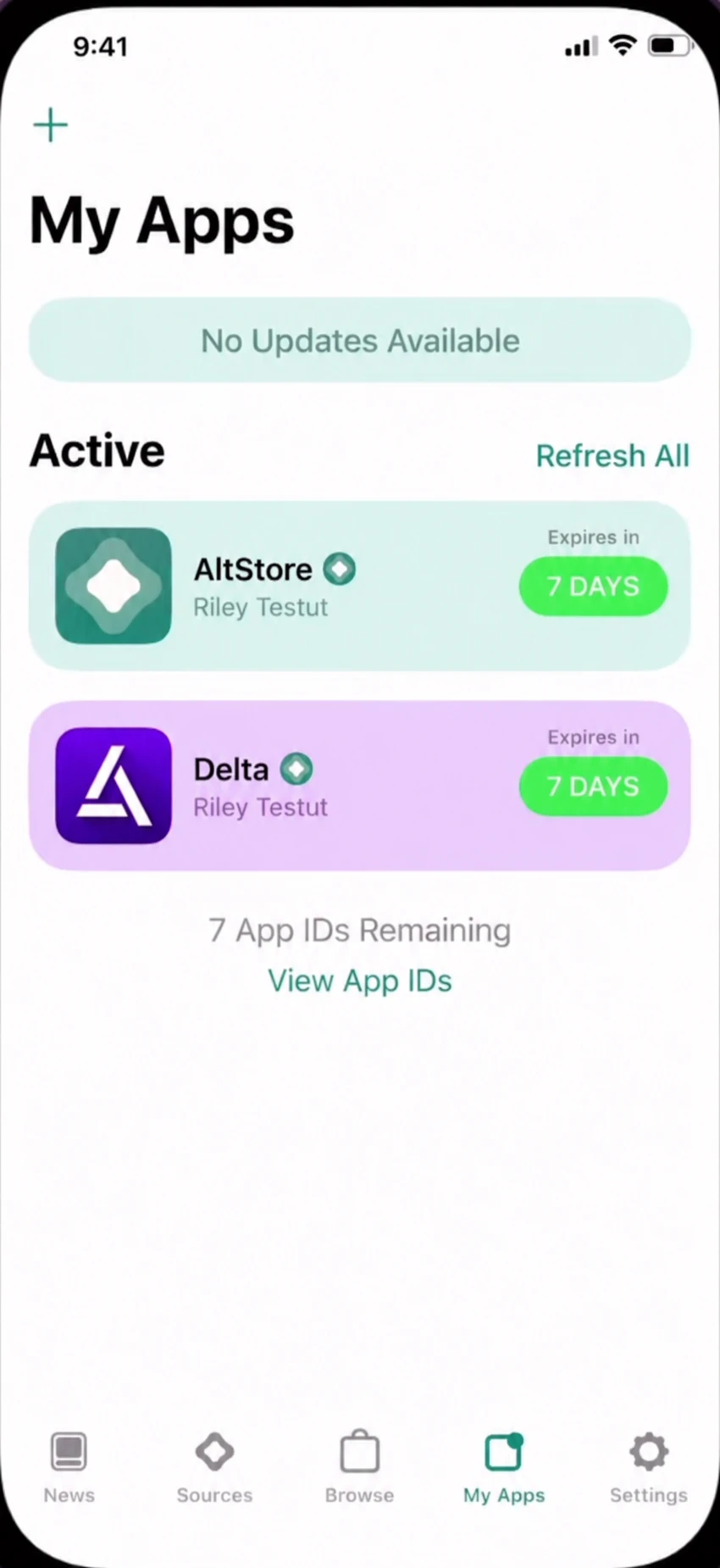
Signing with Altstore needs a computer. Once you have the app downloaded in your phone follow these steps:
- Tap on “+” icon on the top left corner.
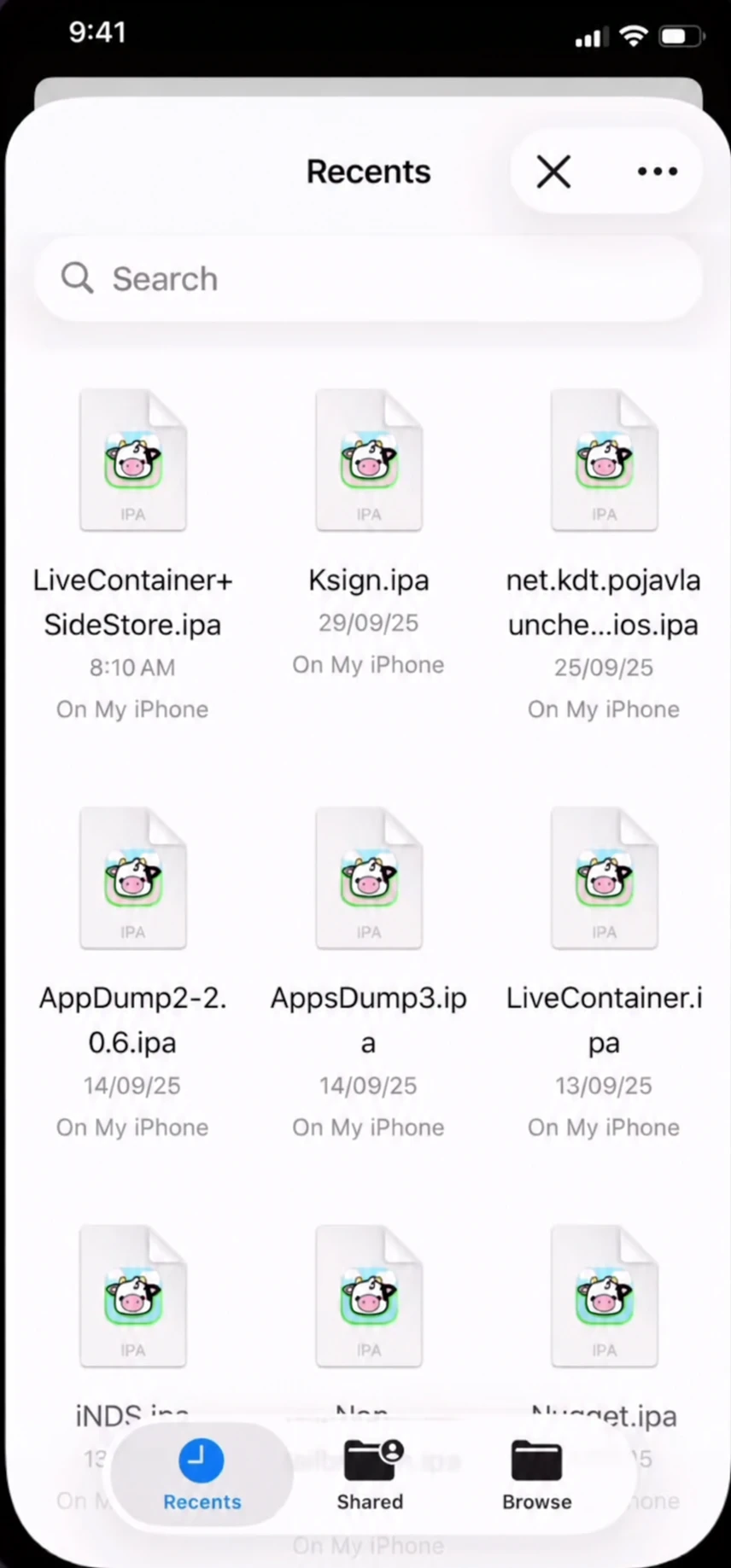
- Select the ipa file you downloaded.
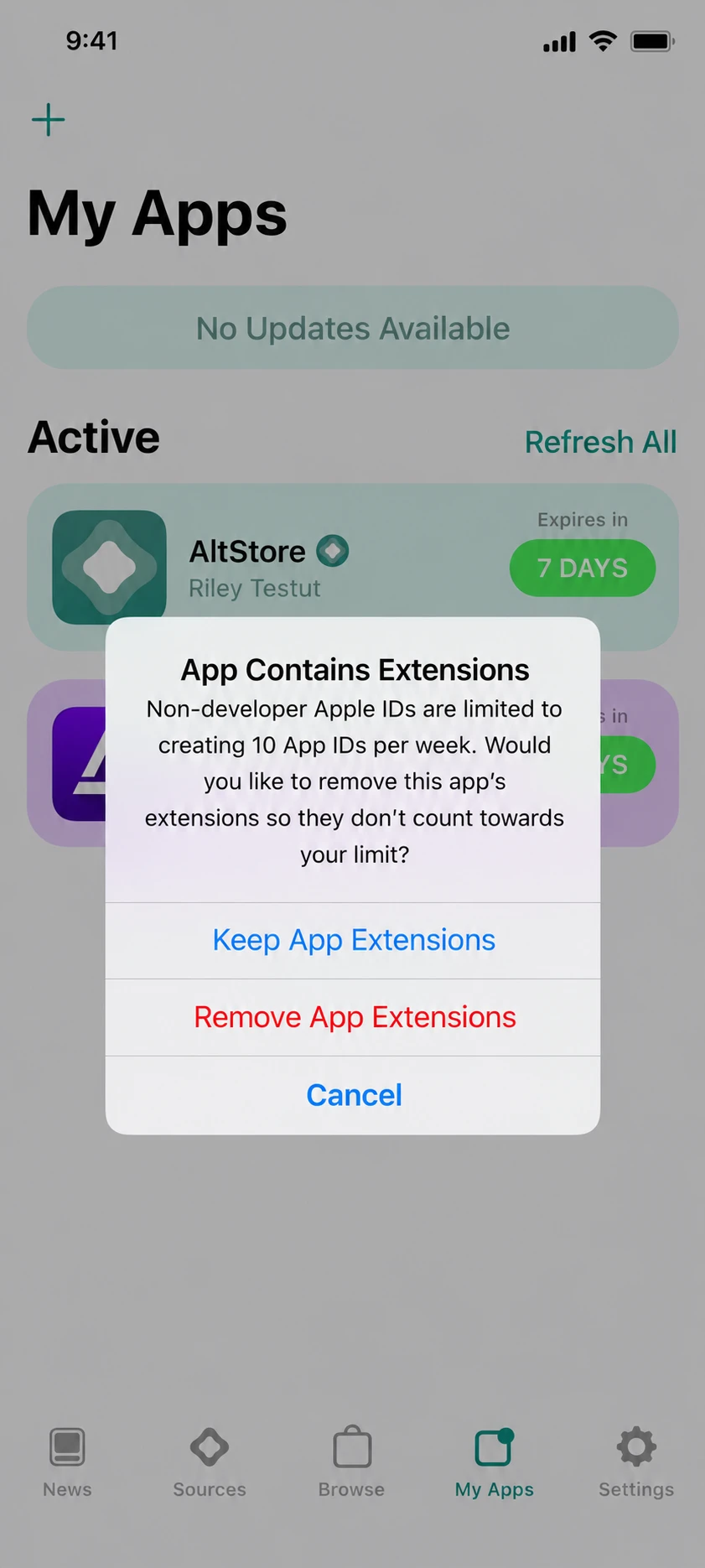
- Tap “Remove App Extensions” when the pop-up appears.
- After a few seconds, Delta will be signed and installed in your device.
ESign vs Scarlet vs Altstore: Which one should you choose?
The best installation method depends on whether you have access to the computer and how you want to sign the IPA.
ESign:
Use this to sign and install Delta IPA on your iPhone without using computer. For this you need your own certificate (a .p12 file and provisioning certificate). When that certificate is revoked, Delta stops working.
Scarlet:
Use this when you need a quick installation without using computer. You don't need a certificate explicitly for this one.
Altstore:
Choose this if you have access to a Mac or PC, and want to sign with your own Apple ID. This lasts 7 days after which it needs a refresh.
How to get Delta Key after installation:
After Delta is successfully installed in your device, you need a key before you can start using scripts. Tap on “Receive key” button and follow the instructions showing on screen. See our Key Guide for detailed steps.
Direct install vs IPA Sideloading: Which should you choose in 2026?
Direct install and IPA sideloading are different ways to install Delta on your iPhone. The best method depends on whether you have a computer, how much control you want over the signing process and how much time you want to invest in installation process.
| Direct Install | IPA | |
|---|---|---|
| Setup Time | 2 to 5 minutes | 10 to 15 minutes |
| Computer needed | No | ESign and Scarlet don’t need a computer, but Altstore does. |
| How long it lasts | Until the certificate is revoked | AltStore: 7 days with a free Apple ID, then you need to sign it again. Scarlet & ESign: until certificate is revoked. |
| Revocation chances | High | Low, if you use your personal Apple ID |
| Difficulty | Easy | Medium |
| Best when | You want quick Installation | direct install method stops working |
Tip: If you want a quick setup and don’t want to use a computer, go for Direct install method.
Troubleshooting Common Errors:
“Unable to verify app”:
It mostly happens when the certificate is revoked or Apple is unable to verify due to network problem. Try reconnecting to the internet connection. Check the signing certificate and resign the IPA file.
“Untrusted Developer”:
You have not trusted the developer yet. Go to Settings -> General -> VPN & Device Management and hit Trust button.
“Integrity could not be verified”:
It usually happens when IPA is not signed properly or file is damaged or corrupted. Download IPA file again from a trusted source and resign it.
App crashes on launch:
Certificate may be revoked, Roblox updated or Delta needs an update. Install the latest IPA file and sign it.
FAQs:
Can I install Delta IPA without computer?
Yes, you can install IPA using ESign or scarlet without using a computer.
Why does Delta Executor stop opening after a few days?
Delta Executor may stop working because its signing certificate or provisioning profile is expired. This usually expire after 7 days when using free developer profile. You’ll need to resign the file again.
Do I need to jailbreak my iPhone to install Delta IPA?
No, you do not need to jailbreak your device. Direct install and IPA both methods don’t need it.
Conclusion:
The IPA method takes more time, but it's a good option when certificates keep getting revoked. Use the ESign or scarlet app if you don’t want to use a computer, or Altstore if you want to use your own Apple ID. Keep the IPA file saved in your device or you can download from our website each time you need to resign it. If you want a quick setup, you can use Direct Install method.